Building a cervix-measuring camera probe on a Raspberry Pi budget
Cervicam Thesis Series
Part 3 of 6
- 1 The most important number in childbirth is basically a guess
- 2 Ultrasound fixes the accuracy problem. It also costs too much.
- 3 Building a cervix-measuring camera probe on a Raspberry Pi budget
- 4 Everything that broke while building Cervicam
- 5 I tested Cervicam with real healthcare workers. Here’s the usability score.
- 6 What a proof-of-concept device can and can’t tell you
Last time, I told you ultrasound is the accurate fix for cervical dilatation measurement, and that it doesn’t scale to where it’s needed most: too expensive, too much training. That’s the space I built Cervicam into, not because I think it’s the fix, but because I wanted to actually build something and see what that surfaces. Here’s what actually went into it.
One thing I want to be upfront about before you look at the photos below: this is a proof-of-concept, tested only on a 3D-printed cervix model, never a real patient. Even several iterations further, the idea of this being used on someone in labor is a scary proposition.
The one rule everything else had to follow
Before any hardware, there was a constraint I couldn’t design around. A 2008 study of uterine tissue found that the cervix itself is likely a major source of pain during pregnancy and labor, via nerve fibers that respond to the same receptor behind the burn of a chili pepper.1 I covered this back in post one, and it’s the whole reason Cervicam exists: whatever I built had to never actually touch the cervix.
That one constraint, plus a baseline interview with an obstetrician, shook out into six real design requirements, not a vague “make it better”:
- No cervical contact: the big one, addressing the pain risk above
- Reproducible output: two different clinicians measuring the same cervix should get the same number
- User-friendly: no one should need a semester of training to operate it
- Data visualization: something a woman in labor can actually look at, not just a number a clinician keeps to themselves
- A recommendation feature: flag when something looks off, not just display raw data
- Cost-effective: this is the direct answer to ultrasound’s biggest problem
Every hardware decision below is one of those six requirements turning into an actual part.
The brain: a Raspberry Pi Zero 2 W
I tried the original Raspberry Pi Zero W first. Too slow: it couldn’t keep up with real-time computer vision and a GUI at the same time. The Zero 2 W could. It’s a single-board computer the size of a stick of gum, it runs Python (my language of choice, which mattered for how fast I could iterate), and it’s cheap enough that “cost-effective” didn’t have to stay a slogan.
The eye: a 160-degree camera
The camera needed a wide enough field of view to actually see the full range of what it’s measuring. Full cervical dilatation tops out around 10cm, and the vaginal canal it has to see through averages about 9.6cm long.2 A narrow-FOV camera simply couldn’t capture the whole picture from that close. A 160-degree module could.
Finding a sensor that didn’t lie
The device needed to know exactly how far it had traveled before stopping. Too far, and it risks contact; not far enough, and the measurement is wrong. My first two attempts at a distance sensor were cheap infrared modules, about ₱30 (roughly $0.50 USD) each. Both failed the same way: unreliable readings depending on the lighting in the room, and the problem got worse, not better, once I tried isolating them with longer wires to shrink the probe down.
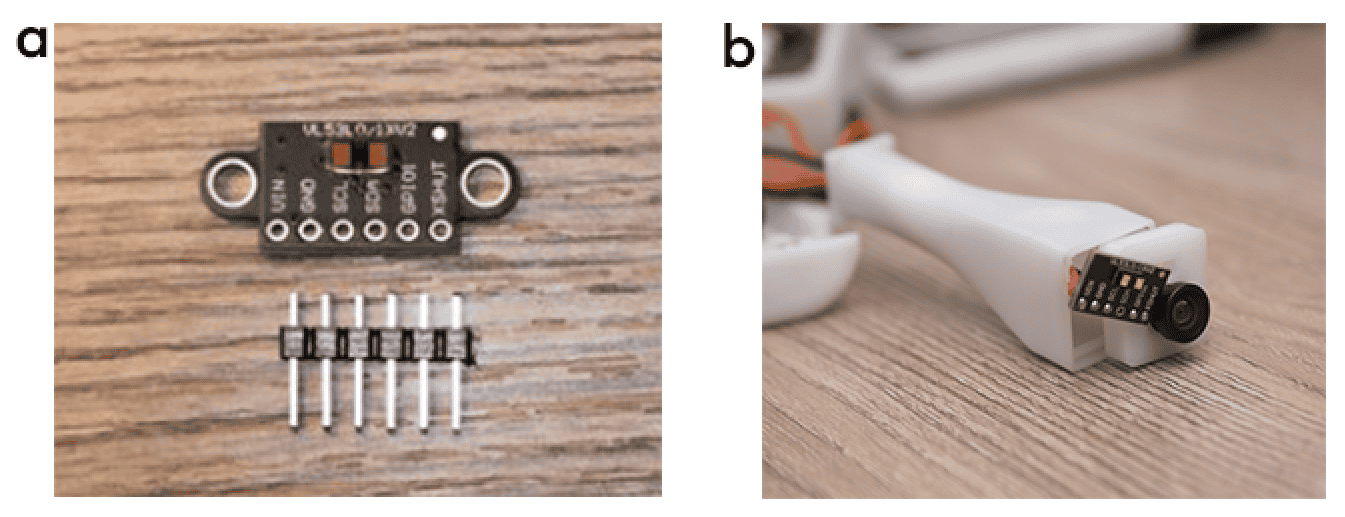
The fix was switching sensor types entirely: a time-of-flight laser-ranging sensor instead of infrared. It’s rated to read distances from 4cm out to 400cm.3 That 4cm floor isn’t an arbitrary spec: it’s almost exactly half the average vaginal canal length, which meant the sensor could do its job well before the probe got anywhere near the cervix.
After trimming the sensor module’s mounting holes to shave down the probe, the final size came out to 2cm by 2.3cm, with a 3cm diagonal, smaller around than the average erect penis. (A 2014 study of 1,661 self-reporting men put the mean circumference at 12.23cm, which works out to about 3.9cm across.4 Make of that comparison what you will; I just thought it was a useful, concrete way to picture the actual size.)
Everything else bolted on
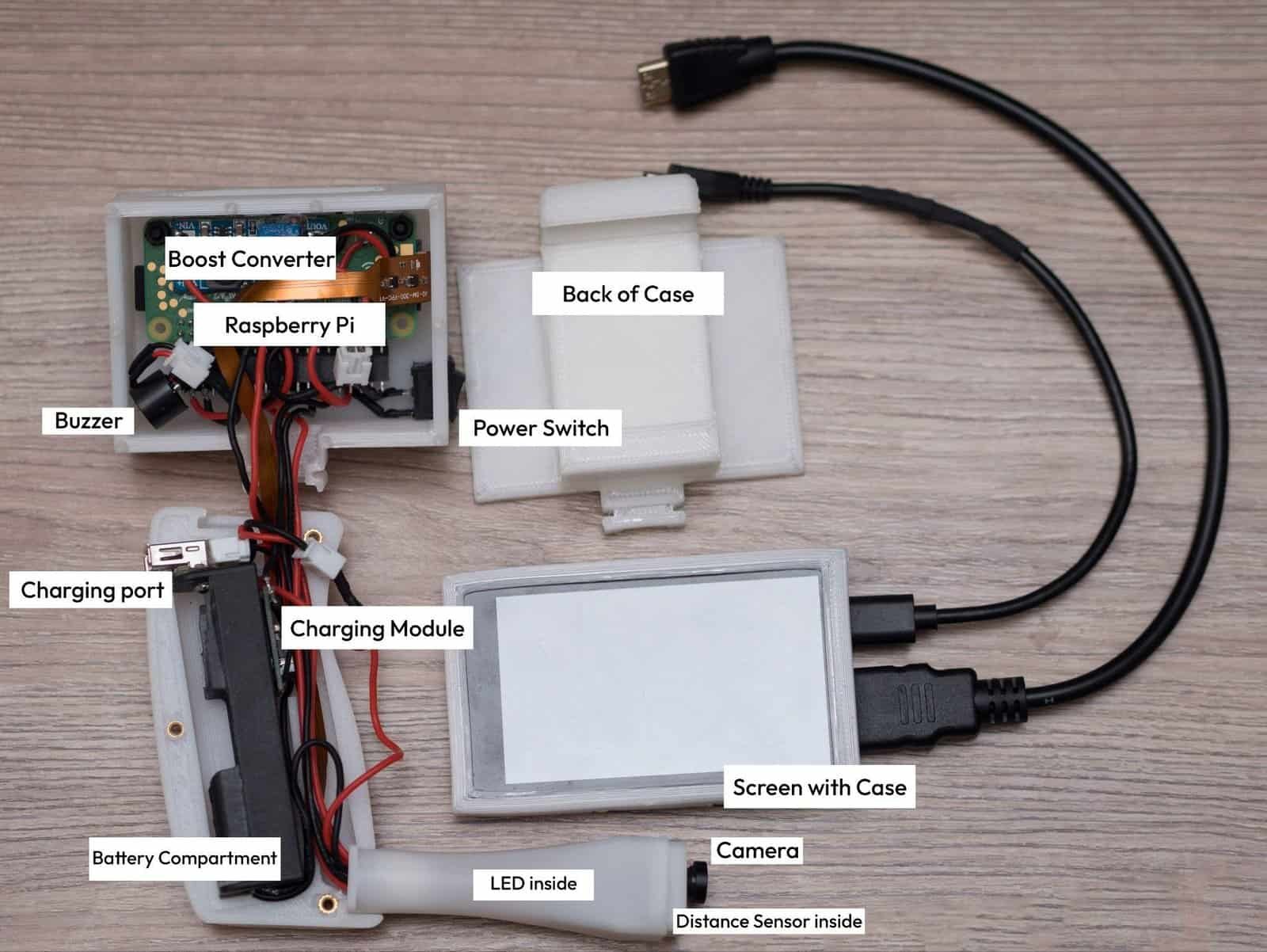
The rest of the build is the supporting cast: a touchscreen for display and navigation, a buzzer for audio cues, an LED to light the inside of the test rig, a button to switch it on, a rechargeable 18650 battery with its own charging and voltage-boost circuitry, and a small fan to keep the Pi from overheating. Most of the case is 3D-printed: flexible TPU filament for durability, with one rigid PLA part for the fan grille. The screen holder itself started as someone else’s design: a phone-mount model from Thingiverse, by a user going by ‘bummster’, adapted to fit.5
The software stack
Under the hood: Raspbian Bullseye, the 32-bit build specifically, because key parts of OpenCV (the computer vision library doing the actual image processing) don’t run properly on the 64-bit version on this particular board. Python 3.9.2 on top, Tkinter for the interface, and Matplotlib to actually chart the dilatation data instead of just spitting out a number.
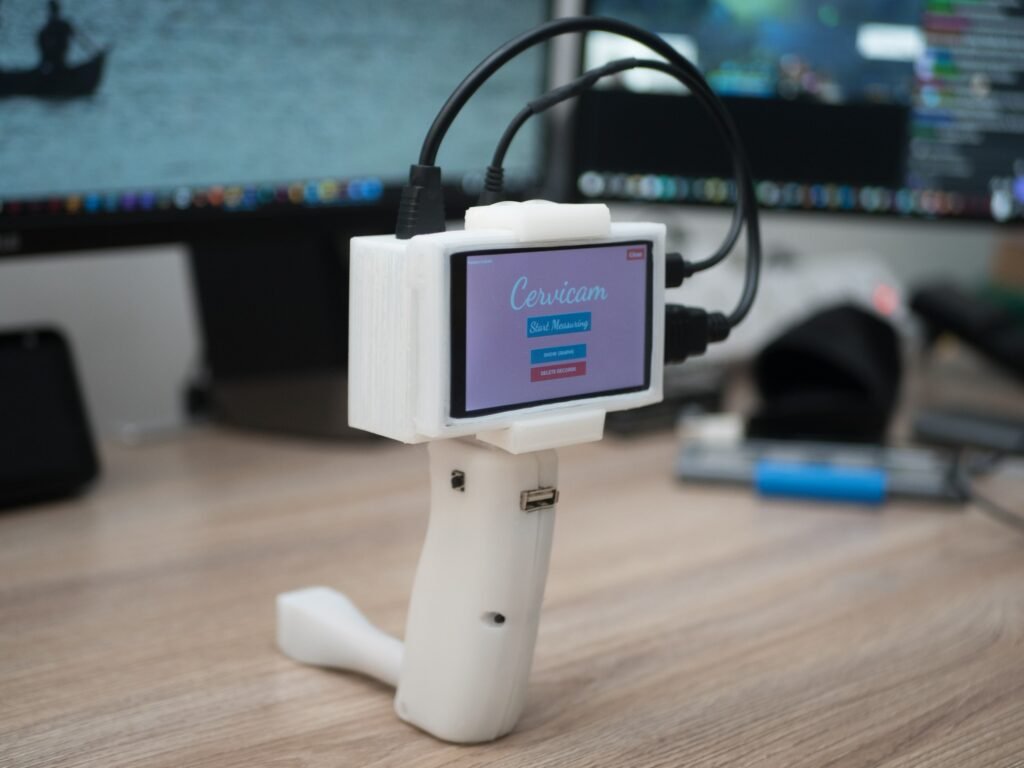
Put it all together and you get Cervicam — short for “cervix camera.”
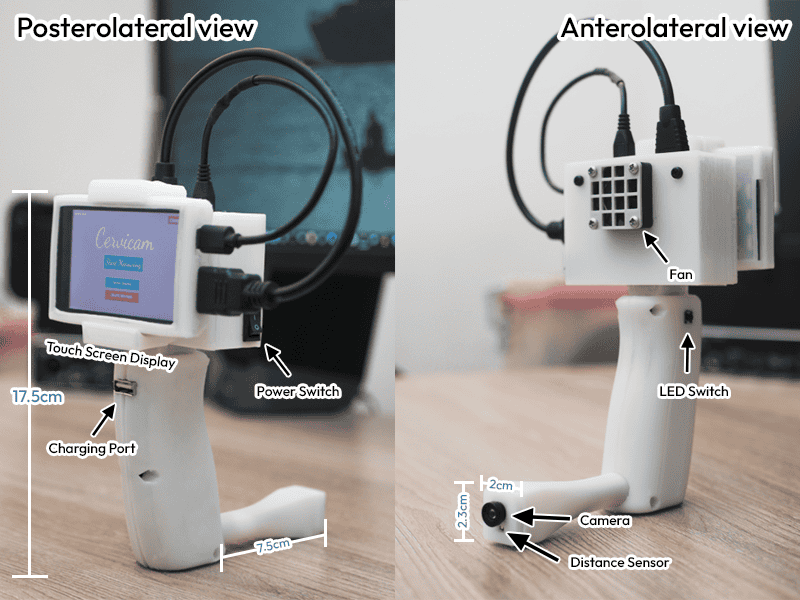
It runs two ways: tethered to a phone screen when you want a quick setup, or fully standalone on its own touchscreen and power when you don’t.

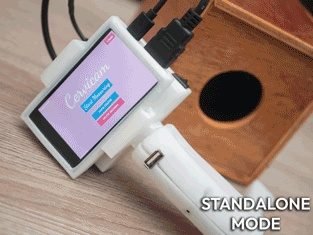
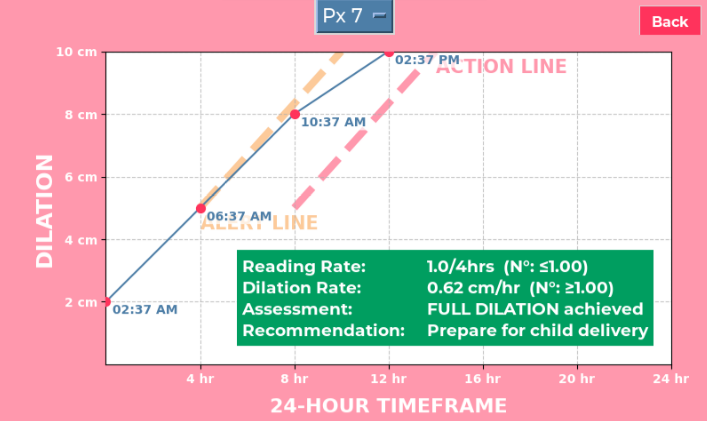
Either mode outputs the same thing: not just a number, but a partograph-style graph plotting dilation against time, alert and action lines borrowed from the traditional paper chart, and a plain-language recommendation attached.
What it actually cost
Total parts list: eleven components, ₱6,329 all in, roughly $100 USD. The Raspberry Pi itself, the touchscreen, and the camera module were the three biggest line items; everything else (the sensor, battery, charging circuitry, LED, buzzer, 3D printing) added up to well under half the total.
One honest wrinkle: my own build records show two different prices for the same Raspberry Pi Zero 2 W. One part of my cost tracking lists it at ₱855, which is close to the board’s official global launch price of $15 USD.6 What I actually paid, per my full parts budget, was ₱1,764, more than double. I didn’t track down exactly why at the time, but the most likely explanation is ordinary import and distributor markup buying it locally in the Philippines versus the manufacturer’s own global price. Worth knowing if you’re pricing out a build like this from outside the US.
Here it is actually doing the job, loaded into a cervical dummy box for a test measurement:
That’s the hardware. It didn’t all work on the first try; next time, everything that actually broke while I was building it.
This post is adapted from my unpublished Master’s thesis, “Touch Me Not”: A Cervix Uteri’s Plea for a More Objective Cervical Dilatation Measurement — Proof of Concept for a Camera-Based Cervimeter, completed July 2024 for my MSIT at MSU-IIT. Publishing it wasn’t a requirement for the degree, so parts of it are appearing publicly here for the first time. It hasn’t been peer-reviewed, and the views and conclusions are my own. Shared under CC BY-NC, with attribution appreciated.
References
Most of these come straight from my thesis’s own reference list; two are new, found while fact-checking the Raspberry Pi’s launch price and the sensor’s official spec.
1 Tingåker, B. K., Ekman-Ordeberg, G., Facer, P., Irestedt, L., & Anand, P. (2008). Influence of pregnancy and labor on the occurrence of nerve fibers expressing the capsaicin receptor TRPV1 in human corpus and cervix uteri. Reproductive Biology and Endocrinology, 6, 8. https://doi.org/10.1186/1477-7827-6-8
2 Lloyd, J., Crouch, N. S., Minto, C. L., Liao, L., & Creighton, S. M. (2005). Female genital appearance: ‘Normality’ unfolds. BJOG: An International Journal of Obstetrics & Gynaecology, 112(5), 643–646. https://doi.org/10.1111/j.1471-0528.2004.00517.x
3 Pololu Corporation. (n.d.). VL53L1X Time-of-Flight Distance Sensor Carrier. Pololu. https://www.pololu.com/product/3415
4 Herbenick, D., Reece, M., Schick, V., & Sanders, S. A. (2014). Erect penile length and circumference dimensions of 1,661 sexually active men in the United States. Journal of Sexual Medicine, 11(1), 93–101. https://doi.org/10.1111/jsm.12244
5 Thingiverse.com. (n.d.). Arca Swiss clamp compatible phone mount by bummster. Thingiverse. https://www.thingiverse.com/thing:1313336
6 Raspberry Pi. (2021, October 28). New Raspberry Pi Zero 2 W. Raspberry Pi. https://www.raspberrypi.com/news/new-raspberry-pi-zero-2-w/
Enjoyed this one?
Let J know with some claps